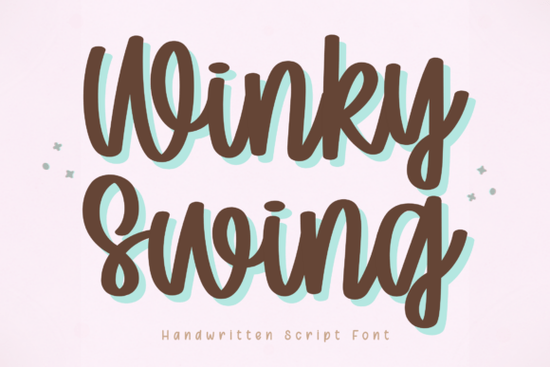
If you need a handwritten font that feels playful without sacrificing readability, the Winky Swing Font is worth a close look. Designed for crafters, small business owners, and print-on-demand sellers, this font strikes a balance between bouncy personality and clean legibility. Unlike many script fonts that look great on screen but fall apart when cut on a Cricut or used in small text, Winky Swing keeps its charm without becoming a headache to work with.
What kind of projects does Winky Swing work best for?
Because of its smooth strokes and consistent letter spacing, Winky Swing fits a wide range of creative uses. It’s especially popular for:
- Cricut and Silhouette cutting – The font’s clean curves mean fewer weeding problems and cleaner cuts on vinyl, cardstock, or heat transfer material.
- Digital planners and journals – The natural flow makes it easy to read even at smaller sizes, which is a must for dated headers, habit trackers, or weekly spreads.
- Social media graphics – The playful bounce adds a friendly tone without looking messy. Perfect for Instagram quotes, TikTok overlays, or Pinterest pins.
- Small branding projects – If you’re designing logos for a kids’ bakery, a handmade soap line, or a cheerful blog, this font gives off a warm, approachable vibe.
If you prefer a more polished signature look for formal branding, you might want to check out the Book Signature Font as an alternative. But for everyday fun projects, Winky Swing holds its own.
Is Winky Swing Font good for Cricut and other cutting machines?
Yes, and that’s actually one of its strongest points. Many script fonts have thin hairlines or overlapping loops that cause the blade to cut tiny fragments you’ll never be able to weed. Winky Swing avoids those problems because every letterform is designed with consistent stroke thickness and enough space between characters. Whether you’re cutting single words or longer phrases, the results stay reliable.
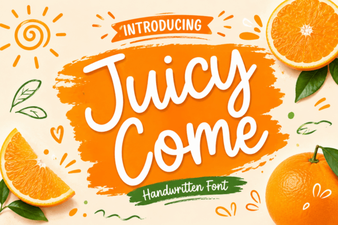
For cutting machine users, pairing Winky Swing with a sturdy script like Juicy Come Font gives you more variety without extra weeding trouble.
How does Winky Swing compare to other handwritten script fonts?
Most handwritten fonts lean either too messy (hard to read) or too stiff (lose the handmade feel). Winky Swing sits in the middle. The letters aren’t perfectly identical – they have a natural bounce that makes them feel handwritten – but they still form clear words quickly. This matters if you’re selling printables or digital products where customers won’t spend time guessing what a word says.
If you want a softer, more rounded handwritten style, also look at Hey Baby Font. It’s a little more bubbly while Winky Swing has more floral, sweeping strokes.
Can I use this font for print-on-demand products?
Absolutely. Print-on-demand sellers often need fonts that look good on mugs, t-shirts, and phone cases without extra editing. Winky Swing’s legible curves work well for phrases and short quotes. Because it’s a standard TTF/OTF file, you can install it in design software like Canva, Adobe Illustrator, or Affinity and start applying it immediately.
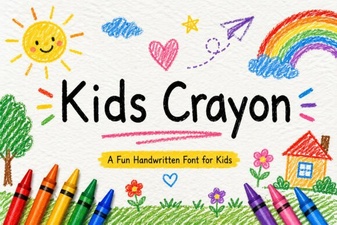
For a more childlike, crayon-style look on kids’ merchandise, try Kids Crayon Font as a companion – but for most everyday POD designs, Winky Swing is the safer, more professional choice.
What file formats and license options are included?
When you download Winky Swing from Creative Fabrica, you usually get both .otf and .ttf files, plus a web font version if you need it for online use. The standard commercial license covers selling physical products (like mugs, shirts, and prints) and digital products (like PDF planners) as long as the font is embedded or flattened. Always check the specific license file, but Creative Fabrica’s subscription makes it easy to use thousands of fonts without worrying about per-project fees.
Simple checklist for getting the most out of Winky Swing
- Test readability at small sizes – Even though the font stays clear, always preview your design at actual print size before ordering.
- Pair it with a simple sans-serif – For headers and body text, combine Winky Swing with a neutral font like Montserrat or Lato to avoid visual clutter.
- Check glyphs and alternates – Some versions of the font include swashes or alternate letters. Open the character map in your design software to see if you can add extra flair.
- Weed a test cut first – Cut a sample word in vinyl to see if the letters lift easily. If you do this, you’ll rarely waste material.
- Download complementary fonts – Add Book Signature Font and the other options mentioned above to build a versatile script library for different project moods.
If you’re ready to try Winky Swing, grab it from Creative Fabrica and start creating right away. The best test is to drop a quote into your design tool and see how it feels – chances are you’ll keep coming back to it for all your casual, fun projects.
Download Now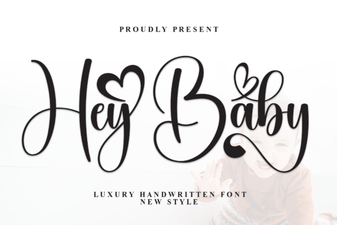 Hey Baby Font for Creative Designs & Projects
 Free Download: Juicy Come Font for Creative Projects
 Creative Kids Fonts for Coloring Projects
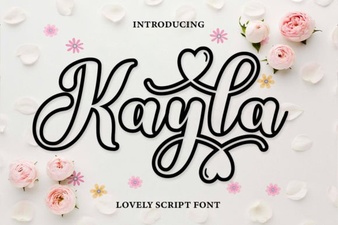 Kayla Outline Font Design Projects & Uses
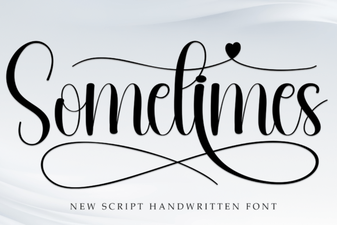 Sometimes Font: Unique Design Ideas & Usage Tips
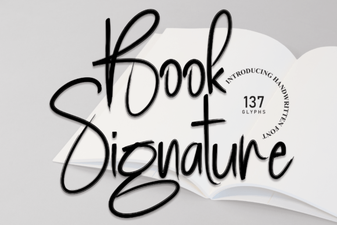 Signature Font Design for Custom Book Covers